


|
Name |
REC |
|---|---|
|
Google Play Link |
GET IT ON
Google Play
|
|
Category |
Video Players & Editors |
|
Developer |
ZipoApps |
| Last version | 4.6.12.1 |
|
Updated |
|
|
Compatible with |
Android 5.0+ |
Introduction to REC APK
REC is a mobile utility app designed for Android devices that lets you record your screen with both video and audio. It’s made for users who want simple, high-quality recording tools for gaming, tutorials, or video calls without complicated setup.
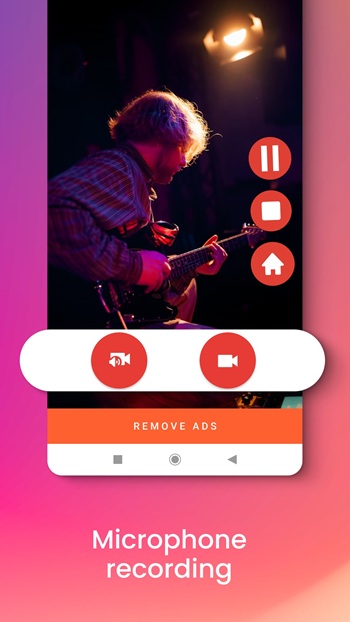
This app focuses on giving you full control over how your recordings look and sound. You can select from different resolutions like UHD, FHD, or HD, adjust frame rates, and even choose if you want to include microphone audio. It’s flexible enough for casual users and detailed enough for people creating polished content.
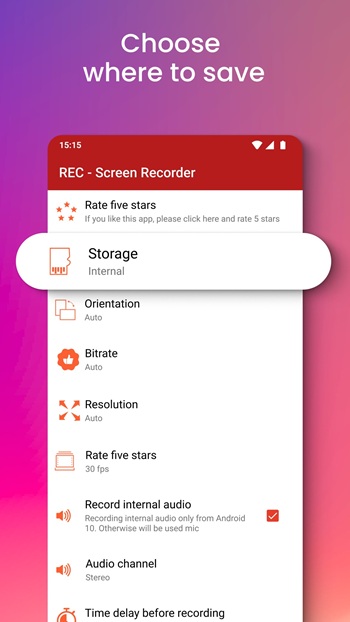
One of the main highlights is the ability to save your recordings in multiple storage locations. You can keep them on your device’s internal memory, SD card, or even an external USB drive. From there, sharing is straightforward, with built-in options for social media, email, and cloud platforms like Google Drive or Dropbox.
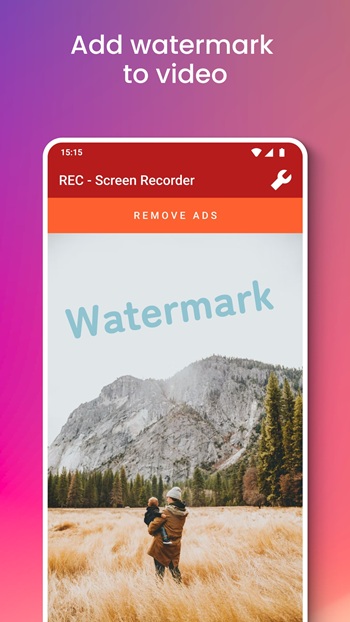
REC also adds useful touches for creators. You can display screen taps during recording, pause and resume sessions, or schedule a delayed start. It even supports adding your own logo or watermark to protect original work, which is especially handy for content creators uploading to YouTube.
The app’s advantages lie in its easy-to-use interface, solid audio quality, and absence of time limits for recordings. It’s reliable for both quick captures and long sessions, with a floating window or notification controls for convenience.
On the flip side, REC may not offer the advanced editing features found in professional software. Users seeking heavy post-production options might find it limited. Also, recording in very high resolutions can take up significant storage space, which could be a drawback for devices with less memory.
Overall, REC suits students recording lessons, gamers streaming their matches, professionals making tutorials, and anyone who wants a simple yet capable screen recording tool right on their phone.
FAQs REC
What is REC?
+
REC is a mobile app that lets you record your Android screen with video and audio in multiple resolutions.
How does REC APK work?
+
It records screen activity, captures microphone sound if enabled, and saves files to internal, SD card, or external storage.
Can I use REC for gaming?
+
Yes, REC supports smooth recording for mobile gaming, letting players capture matches in HD or higher.
Does REC have time limits?
+
No, REC allows unlimited recording length, making it useful for long tutorials, classes, or live sessions.
What are the downsides of REC?
+
It lacks advanced editing tools and high-resolution videos may take up a lot of storage space.
Discover More Interesting Apps
-
 Mod
Mod
Pure Status
v2026.23
79.27 Mb
Updated -
Mod
KineMaster
v8.2.11.37344.GP
174.92 Mb
Updated -
IPTV Smarters Pro
v1.0.0
23091647
Updated -
Mod
Filmora
v15.7.50
264.00 Mb
Updated -
Mod
VN
v2.22.1
306.53 Mb
Updated -
Mod
VN Video Editor
v2.22.1
306.53 Mb
Updated -
Mod
Emby TV
v2.5.03g
45.91 Mb
Updated -
Mod
VITA
v302.0.24
236.39 Mb
Updated -
Muka
v1.3.1.0
35.26 Mb
Updated -
Mod
invideo AI
v4.5.58
184.63 Mb
Updated










Share Your Thoughts